
🚀 Namecheap 域名 MCP 用于 Cursor
这是一个为 Cursor AI 接口提供 Cursor MCP(模型上下文协议)集成的 Namecheap 域名 API。借助该 API,您能够检查域名可用性、获取定价信息,还能直接通过 Cursor 注册域名。

YouTube 实际操作演示:
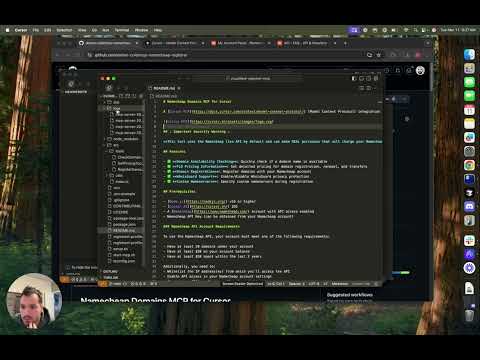
🚀 快速开始
此工具默认使用 Namecheap 的实时 API,进行实际的域名购买。在运行脚本之前,请务必仔细阅读文档,并理解所有可能的安全注意事项。
✨ 主要特性
- 检查域名可用性
- 可检查单个或多个域名的可用性。
- 支持多种顶级域名(TLD)。
- 获取定价信息
- 显示注册、续费和转移价格。
- 支持不同年份的价格显示。
- 注册域名
- 可使用默认设置或自定义选项注册域名。
- 支持自定义 DNS 服务器。
- 支持启用或禁用 Whois 隐私保护。
- 沙盒模式
- 提供测试环境,不会进行实际购买。
- 使用独立的 API 密钥和账户。
📦 安装指南
安装依赖项
npm install namecheap-api cursor-mcp
配置步骤
- 创建
.env文件 在项目根目录下创建一个.env文件,并添加以下内容:
NAMECHEAP_API_KEY=your_api_key_here
NAMECHEAP_USERNAME=your_username_here
REGISTRANT_PROFILE=registrant-profile.json
- 准备注册人配置文件
创建
registrant-profile.json文件,确保包含以下字段:
{
"name": "John Doe",
"address1": "123 Main St",
"city": "Anytown",
"state": "CA",
"postalcode": "12345",
"country": "US",
"phonenumber": "+1.5555555555",
"email": "email@example.com"
}
💻 使用示例
检查域名可用性
node check-availability.js example.com anotherexample.net
获取定价信息
node get-pricing.js example.com
注册域名
注册过程分为两步,以确保安全:
- 第一步 - 显示详细信息
node register-domain.js --step=1 example.com
- 第二步 - 确认购买
在第一步完成后,系统会提示您输入确认码。请仔细检查所有信息后,输入
confirm。
沙盒模式
为了测试目的,在 .env 文件中设置:
NODE_ENV=sandbox
这将使用 Namecheap 的沙盒 API 环境,不会进行实际购买。请确保您拥有独立的沙盒 API 凭证。
📚 详细文档
常见问题
1. 如何获取 API 密钥?
登录您的 Namecheap 账户,进入“用户中心” > “API”部分,生成新的 API 密钥。
2. 需要哪些权限?
确保您的 API 密钥具有以下权限:
- Domain Services:Read/Write
- WHOISguard Services:Read/Write
3. 如何处理错误?
a. 认证失败
- 确保您的 API 密钥和用户名正确。
- 检查您的 IP 地址是否在 Namecheap 的白名单中。
b. 注册人配置文件未找到
- 验证
registrant-profile.json文件是否存在。 - 确保文件包含有效的 JSON 格式,并且所有必填字段都已填写。
c. 域名注册失败
- 检查您的 Namecheap 账户余额。
- 确认域名确实可用。
- 确保注册人配置文件中的信息完整无误。
📄 许可证
本项目遵循 MIT 许可证 - 请查看 LICENSE 文件以获取详细信息。
为项目做贡献
欢迎任何贡献!请参阅 CONTRIBUTING.md 了解如何为该项目做出贡献。
⚠️ 重要提示
此工具默认使用 Namecheap 的实时 API,进行实际的域名购买。确保在运行脚本之前,您已经仔细阅读了文档,并且理解所有可能的安全注意事项。